


|
||||||
| DIY (Do-It-Yourself) Guides For all DIYs. |
 |
|
|
Thread Tools | Search this Thread |
 09-01-2013, 02:55 PM
|
#1 |
Join Date: Jun 2012
Drives: Scion FRS Firestorm MT
Location: Lithuania
Posts: 327
Thanks: 4
Thanked 613 Times in 176 Posts
Mentioned: 39 Post(s)
|
DIY: How-to guide for DCw glowing center consoe plaque!
At last I found some time to write this one... This is just GUIDE so keep this in mind, you can install your way, or to any 12v source! I chose to install it this way because it gives a nice FADE IN / FADE OUT effect! And also plaque is not light up while driving, and its not disturbing at night...
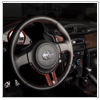
Anyway - here we go  First of all, you will have to drill a small hole in your center console where the plaque will sit. Drill a hole for 2 wires to fit and have some space to move around, that you could adjust your plaque to sit nicely in the center.  -------------------------------------------------------------------------- After you have a hole drilled, run wires thru it, and go to the center console with the,, run the wires on the left edge of the shifter and get down with them. You will need these 2 wires to run to your ignition lock, so extend them to the length needed and run the to ignition lock.  -------------------------------------------------------------------------- Once you done with wires, some double side 3M tape will do job to hold plaque in the place.   -------------------------------------------------------------------------- Turn your steering wheel to left or right - you will find 2 bolts, one on each side. Unscrew them.   -------------------------------------------------------------------------- Remove bottom cover, and lift top cover to find the plug with wires connected to your ignition lock glow ring. Unplug this plug and take it down, you will have more space to work with the wires with this plug hanging down.  -------------------------------------------------------------------------- Here you go - there are 2 wires you will need to USE. ORANGE (thicker then others), and yellow. You will have to splice your 2 wires into these Orange and Yellow wires on your ignition glow ring.   ORANGE is + (12v) terminal! Yellow is - (ground). Connect your RED WIRE of the plaque to ORANGE wire, and BLACK to your yellow. DONE Now put everything back together, and enjoy. I chose this connection because it gives a nice glow fade. Once you unlock the car - you will see your plaque slowly fading in till it glows fully, once you open the door it will be still glowing, once you put ignition on - it will slowly fades out and will not disturb you while driving [ame="http://www.youtube.com/watch?v=agHVinkG7bw"]DCW Scion FRS Toyota GT86 center console plaque / accent - glow edition. - YouTube[/ame] |

|

|
|
|
|
 Similar Threads
|
||||
| Thread | Thread Starter | Forum | Replies | Last Post |
| DCW custom glowing center console accent | doggy | Cosmetic Modification (Interior/Exterior/Lighting) | 95 | 09-17-2013 04:16 PM |
| DCW Glowing center console plaque and footwell lights | Minovsky | DIY (Do-It-Yourself) Guides | 1 | 08-21-2013 09:27 PM |
| Center Console Plaque | flash408 | BRZ First-Gen (2012+) — General Topics | 13 | 05-09-2013 09:13 AM |
| 86 Center Console Plaque | 86_ZN6 | Cosmetic Modification (Interior/Exterior/Lighting) | 51 | 11-26-2012 06:54 PM |


