


 07-28-2012, 03:40 AM
|
#71 | |
|
FT86Club Vancouver

Join Date: Jun 2012
Drives: BRZ Sport-Tech; Drove: MR-S, AE86
Location: Vancouver, BC
Posts: 2,533
Thanks: 391
Thanked 1,180 Times in 634 Posts
Mentioned: 16 Post(s)
|
Quote:
__________________
1984 AE86 BT 20V 5MT 2007-2012
2000 MR-S 5MT 2010-2012 2013 BRZ Sport-Tech 6AT Since '12 (OEM+ STI tS Build) 2015 Lexus IS250 AWD F-Sport 2 2015-2018 2018 Lexus NX300 F-Sport 3 Since '18 |
|

|

|
|
07-28-2012, 03:58 AM
|
#72 | |
|
Senior Member

Join Date: Mar 2012
Drives: 2013 Subaru BRZ
Location: PA
Posts: 683
Thanks: 106
Thanked 248 Times in 133 Posts
Mentioned: 10 Post(s)
|
Quote:
|
|
|
|
|
|
08-16-2012, 05:10 PM
|
#74 | |
|
Member
Join Date: Aug 2012
Drives: ...
Location: PA
Posts: 96
Thanks: 39
Thanked 15 Times in 12 Posts
Mentioned: 0 Post(s)
|
Quote:
Sent from my DROID BIONIC using Tapatalk 2 |
|
|
|
|
|
08-17-2012, 03:22 AM
|
#75 |
|
Member
Join Date: Jul 2012
Drives: BRZ - WRB 6MT
Location: CA
Posts: 29
Thanks: 1
Thanked 4 Times in 4 Posts
Mentioned: 0 Post(s)
|
  
|
|
|
|
| The Following User Says Thank You to stat1 For This Useful Post: | chanomatik (07-11-2013) |
|
10-02-2012, 01:05 PM
|
#76 |
|
Senior Member
Join Date: Jun 2012
Drives: BRZ WRB Pearl Limited Manual
Location: Mays Landing, New Jersey
Posts: 247
Thanks: 104
Thanked 40 Times in 35 Posts
Mentioned: 4 Post(s)
|
Hi Guys, |
|
|
|
|
10-02-2012, 01:52 PM
|
#77 | |
|
Senior Member
Join Date: Mar 2012
Drives: 2013 Subaru BRZ
Location: PA
Posts: 683
Thanks: 106
Thanked 248 Times in 133 Posts
Mentioned: 10 Post(s)
|
Quote:
I did this a while ago but I think I had the exact same issue. I'm not sure of the cause...but if you clear your SD card of everything BUT the single image you want to use, that image should come up and you can set it to your startup screen. Hope that helps. |
|
|
|
|
|
10-02-2012, 09:13 PM
|
#78 | |
|
Senior Member
Join Date: Jun 2012
Drives: BRZ WRB Pearl Limited Manual
Location: Mays Landing, New Jersey
Posts: 247
Thanks: 104
Thanked 40 Times in 35 Posts
Mentioned: 4 Post(s)
|
Quote:

|
|
|
|
|
|
10-02-2012, 10:02 PM
|
#79 |
|
Senior Member
Join Date: Sep 2012
Drives: 2014 Jeep Wrangler RubiconX
Location: Midwest, USA
Posts: 1,282
Thanks: 110
Thanked 292 Times in 224 Posts
Mentioned: 7 Post(s)
|
LOL... This is pretty damn cool. Thanks for posting OP and others with ideas for screens.
|
|
|
|
|
10-27-2012, 08:05 PM
|
#80 |
|
"New hotness"

Join Date: Sep 2012
Drives: WRB Limited MT BRZ
Location: Vancouver, WA
Posts: 480
Thanks: 186
Thanked 290 Times in 116 Posts
Mentioned: 15 Post(s)
|
Made a custom start up screen on lunch yesterday, check it out:
 Also made up a few variations, it'd be awesome if someone with more skills than me could make a nice image of the rear of a BRZ, I had to use a skyline I found online.      Here's a good shot that could be converted into an outline: 
__________________
|
|
|
|
| The Following 8 Users Say Thank You to JonnyRocket For This Useful Post: | chanomatik (07-11-2013), Guff (10-27-2012), kwood9000 (11-19-2012), microbionic (02-08-2013), Okami (05-08-2014), Retro86 (02-25-2013), ZetaVI (10-28-2012), zoomzoomers (10-28-2012) |
|
10-27-2012, 08:08 PM
|
#81 |
|
"New hotness"
Join Date: Sep 2012
Drives: WRB Limited MT BRZ
Location: Vancouver, WA
Posts: 480
Thanks: 186
Thanked 290 Times in 116 Posts
Mentioned: 15 Post(s)
|
Also made this from a video still:

__________________
|
|
|
|
|
10-27-2012, 08:10 PM
|
#82 |
|
Senior Member
Join Date: Jul 2012
Drives: Raven Black
Location: Ottawa, Canada
Posts: 1,343
Thanks: 451
Thanked 563 Times in 276 Posts
Mentioned: 6 Post(s)
|
I wish the scion head unit could have the start up image changed.
Now it is just a scion logo 
|
|
|
|
|
10-27-2012, 08:18 PM
|
#83 |

Join Date: Nov 2011
Drives: '13 BRZ, '12 WRX
Location: Minneapolis, MN
Posts: 1,676
Thanks: 271
Thanked 3,552 Times in 886 Posts
Mentioned: 218 Post(s)
  |
Jonny, that is awesome...gonna have to upload it!
Justin Grimm |
|
|
|
|
10-27-2012, 08:51 PM
|
#84 | |
|
"New hotness"
Join Date: Sep 2012
Drives: WRB Limited MT BRZ
Location: Vancouver, WA
Posts: 480
Thanks: 186
Thanked 290 Times in 116 Posts
Mentioned: 15 Post(s)
|
Quote:
__________________
|
|
|
|
|
|
|
|
|
|
|
 Similar Threads
|
||||
| Thread | Thread Starter | Forum | Replies | Last Post |
| BRZ Navigation Audio Run Through | F1point4 | Electronics | Audio | NAV | Infotainment | 84 | 10-14-2012 11:20 AM |
| ft86 track video with some cool on screen displays | ESBjiujitsu | FR-S & 86 Photos, Videos, Wallpapers, Gallery Forum | 2 | 05-10-2012 02:03 AM |
| BRZ Navigation System | Guaruja | BRZ First-Gen (2012+) — General Topics | 15 | 04-13-2012 08:52 AM |
| New Here (Navigation Option Question?) | Jokester | Scion FR-S / Toyota 86 GT86 General Forum | 36 | 02-19-2012 08:25 PM |
| Gorgeous GT5 screen shots of FT-86 !!! | Axel | FR-S & 86 Photos, Videos, Wallpapers, Gallery Forum | 17 | 10-29-2009 12:58 PM |





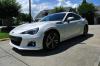 Sylvia

 I used my SD Card in my Digicam and my laptop... I can browse all the picture in my SD... What do you think causing the problem?
 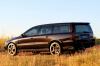 Wife's ride