


|
||||||
| Electronics | Audio | NAV | Infotainment Anything related to in-car electronics, navigation, and infotainment. |
 |
|
|
Thread Tools | Search this Thread |
 11-22-2018, 07:48 PM
|
#1 |
|
Senior Member
Join Date: Apr 2014
Drives: GR Corolla
Location: Lathrop, CA
Posts: 4,943
Thanks: 3,096
Thanked 3,028 Times in 1,865 Posts
Mentioned: 40 Post(s)
Tagged: 2 Thread(s)
|
Backup Camera Install Help
Hey guys, I ordered this:
https://www.amazon.com/Moby-Electron...reverse+camera I went to attempt to install it today (yes on Thanksgiving), but I could not get the camera to work. I didn't drill into the car yet, I wanted to test the camera first. What I did was the following: I plugged in this connector the back of the HU (OEM '14 BeSpoke with nav). 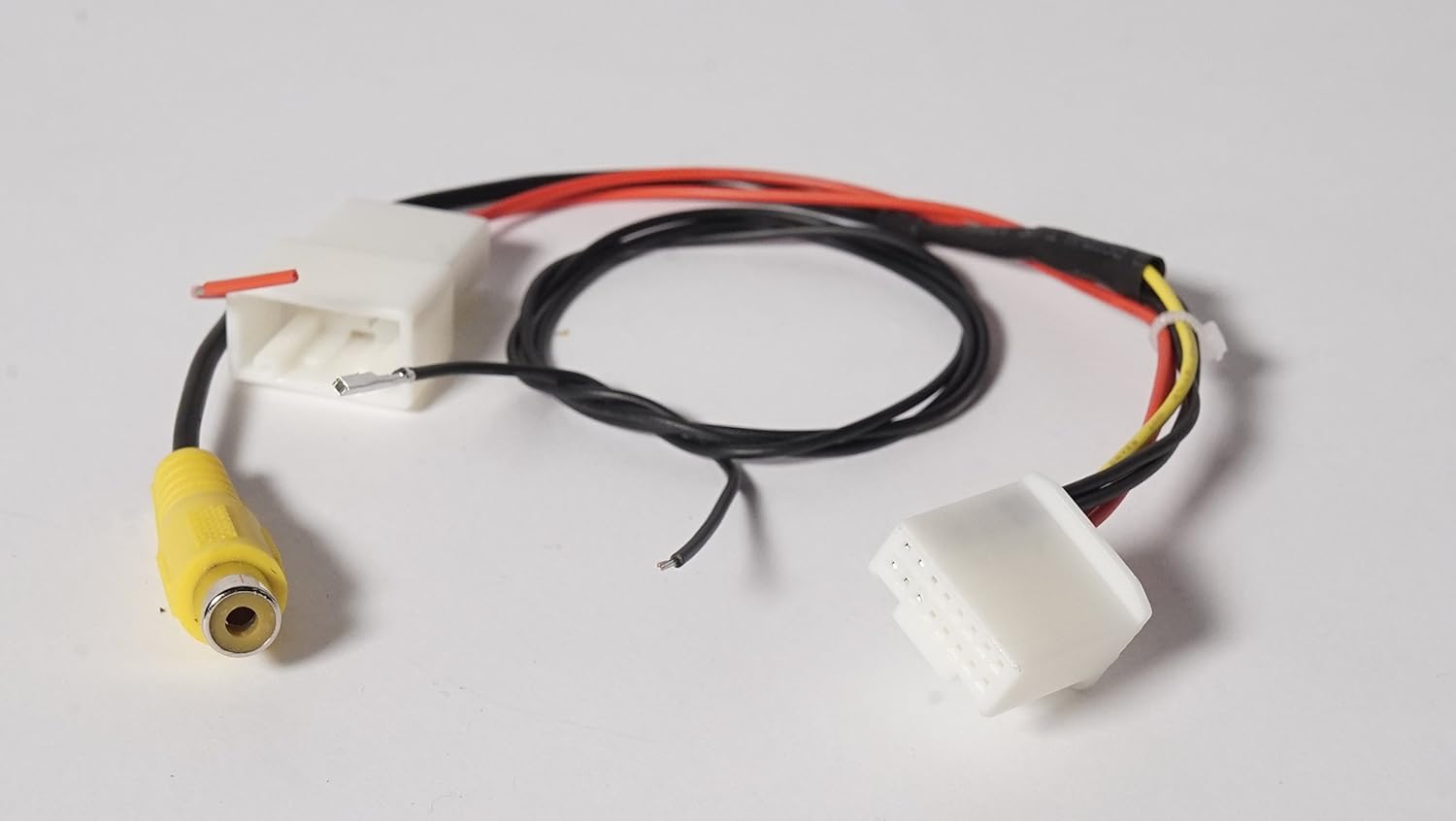 I'm not sure what that red wire coming out of that harness is for, so I left it unused. I then connected the RCA of that to the main long cable and connected the red trigger wire (at the HU end, not the camera end) of it to this wire: 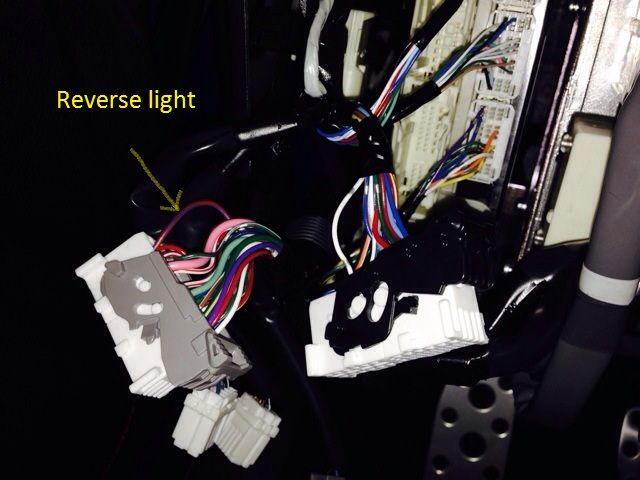 I connected the camera to the whole thing, and touched the power lead to the battery positive, and the ground lead to the negative. Nothing happened. So I took the provided black trigger wire (lone black wire on the right of the following pic) and inserted it to pin 2. It did not click in, and I could pull it out easily. I connected that wire to the same wire in the above picture. Tried turning everything on, and still nothing. 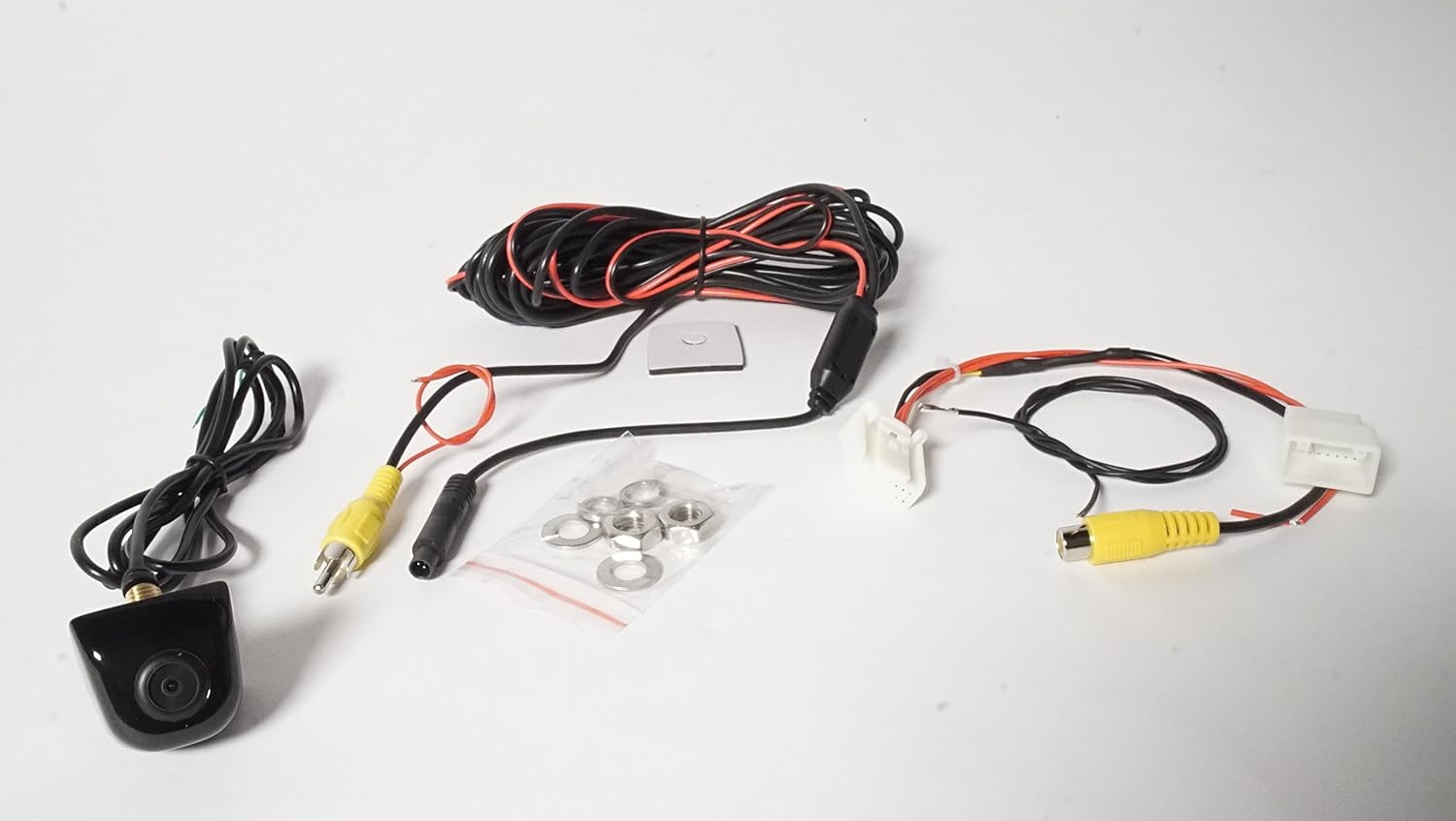 Can anyone tell me what I'm doing wrong, and what that one red wire at the HU connector is used for, if at all? Thanks in advance. |

|

|
|
11-22-2018, 07:57 PM
|
#2 |
|
Senior Member
Join Date: Apr 2014
Drives: GR Corolla
Location: Lathrop, CA
Posts: 4,943
Thanks: 3,096
Thanked 3,028 Times in 1,865 Posts
Mentioned: 40 Post(s)
Tagged: 2 Thread(s)
|
Over the weekend, or when ever I have more time to continue it, maybe I'll try to partially open the 28-pin connector and try to lock in the trigger wire into pin 2 (maybe it's not even making a connection right now). I've never opened any connector before, so I'm hesitant to do that.
Also, for the actual power and ground taps for the camera, I'll be following this: http://www.ft86club.com/forums/showt...=backup+camera So power wire to the dark green wire of the amp, and using that ground location in the trunk to ground the camera. Last notes, I'm using Posi-Taps when tapping any wires. I have a manual transmission if that makes any difference. |
|
|
|
|
11-23-2018, 07:08 AM
|
#3 |
|
Senior Member
Join Date: Jul 2014
Drives: 2013 Firestorm FR-S AT
Location: Smokey Mountains
Posts: 425
Thanks: 56
Thanked 282 Times in 150 Posts
Mentioned: 3 Post(s)
Tagged: 0 Thread(s)
|
A search of backup camera will bring up a bunch of DIYs. Here's mine:
http://www.ft86club.com/forums/showp...5&postcount=20 Note where the reverse trigger wire connects to and how to connect it to pin #2 of the 28 pin connector. The red wire from the camera should be connected to the red wire on the 16 pin harness. |
|
|
|
|
11-23-2018, 12:00 PM
|
#4 | |
|
Senior Member
Join Date: Apr 2014
Drives: GR Corolla
Location: Lathrop, CA
Posts: 4,943
Thanks: 3,096
Thanked 3,028 Times in 1,865 Posts
Mentioned: 40 Post(s)
Tagged: 2 Thread(s)
|
Quote:
So are you saying that the red wire from the new harness should be connected to the trigger pigtail, or the camera's power lead? |
|
|
|
|
|
11-25-2018, 04:06 PM
|
#5 |
|
Senior Member
Join Date: Apr 2014
Drives: GR Corolla
Location: Lathrop, CA
Posts: 4,943
Thanks: 3,096
Thanked 3,028 Times in 1,865 Posts
Mentioned: 40 Post(s)
Tagged: 2 Thread(s)
|
Still need help guys. I got the camera to work, but it'll only work when I first turn on the car. If I go back to the audio screen, it will not go back to the camera, even when I put it in reverse. I could have the camera power lead on the amp, or on the red pig tail coming from the 16-pin connector. Same thing either way.
I tried connecting the #2 pin reverse trigger onto the red and blue wire I saw above, and also switched it to the pink wire from RickyBobby's reply. The camera will only show on the screen if the trigger wire from pin #2 is on the red and blue wire. Nothing happens when it is connected to the pink. I had the camera trigger wire from the RCA cable connected to both as well, and nothing changes the fact that it will only show when I first turn on the car and nothing after. |
|
|
|
|
11-25-2018, 10:06 PM
|
#6 |
|
Senior Member
Join Date: Apr 2014
Drives: GR Corolla
Location: Lathrop, CA
Posts: 4,943
Thanks: 3,096
Thanked 3,028 Times in 1,865 Posts
Mentioned: 40 Post(s)
Tagged: 2 Thread(s)
|
Just thought of an idea, would it work if I wired everything like the following (I've already put everything away and put all 3 cars into the 2.5 garage we have with the FR-S being in the back, so I don't have room to open the doors and trunk to work on it anymore):
-Keep the #2 pin trigger wire connected to the red/blue reverse wire in the driver side footwell. -Move and connect the red power pigtail from the 16-pin connector the the RCA's red trigger wire. -Move and connect the camera's power lead to the other end of the RCA's red trigger wire. -Keep the camera's ground wire onto the ground in the trunk near the reverse lights' main connector. Right now, for clarification, I left it wired as the following: -#2 pin trigger connected to the red/blue reverse wire. -Power lead from the 16-pin connector to the camera's power lead. -RCA's red trigger wire connected to the same red/blue reverse wire as #2 pin. -Other side of RCA's red trigger wire connected to nothing (since I keep seeing manuals online saying to leave it unused). -Camera ground connected to the ground in the trunk. |
|
|
|
|
11-26-2018, 11:53 AM
|
#7 |
|
Senior Member
Join Date: Jul 2014
Drives: 2013 Firestorm FR-S AT
Location: Smokey Mountains
Posts: 425
Thanks: 56
Thanked 282 Times in 150 Posts
Mentioned: 3 Post(s)
Tagged: 0 Thread(s)
|
Sure you picked the right pink wire.
From autoharnesshouse's site: https://www.autoharnesshouse.com/19867_add.html Find the pink wire that corresponds to the reverse lights. This wire connects to the pin 5 (5th pin down from the top. far left side). 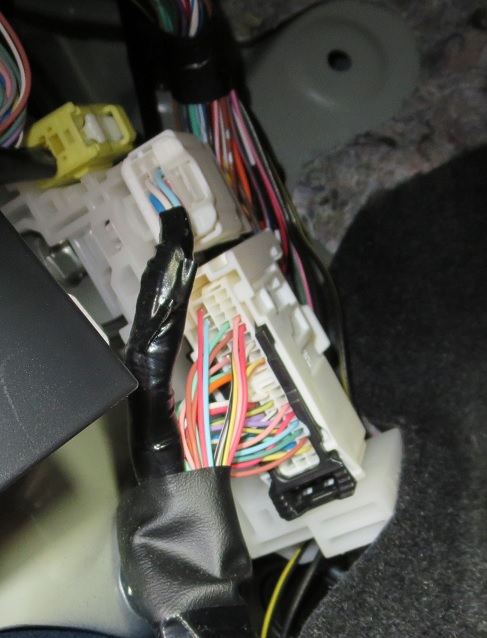 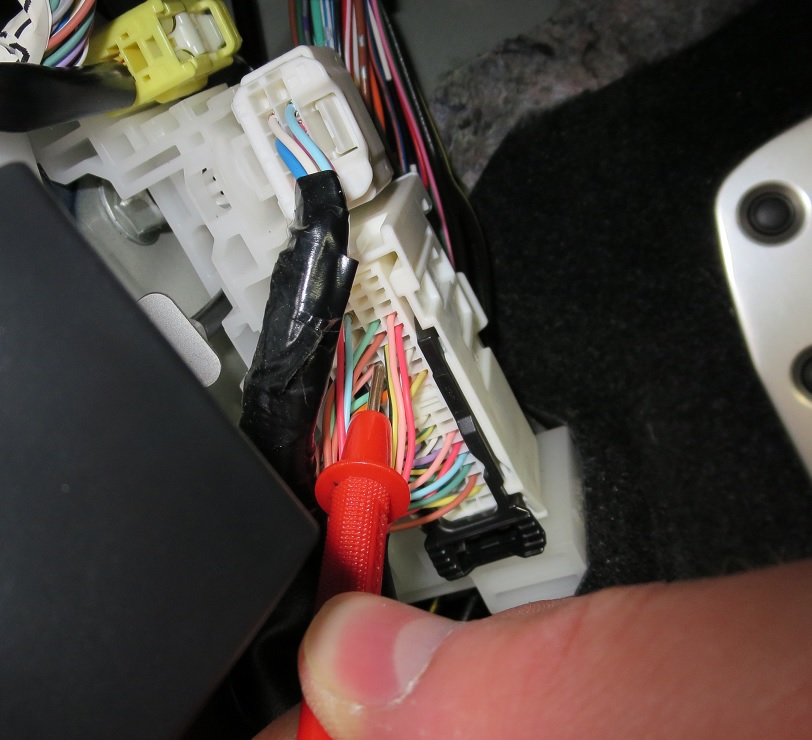
|
|
|
|
|
11-26-2018, 04:27 PM
|
#8 | |
|
Senior Member
Join Date: Apr 2014
Drives: GR Corolla
Location: Lathrop, CA
Posts: 4,943
Thanks: 3,096
Thanked 3,028 Times in 1,865 Posts
Mentioned: 40 Post(s)
Tagged: 2 Thread(s)
|
Quote:
|
|
|
|
|
|
|
|
|
|
|
|
 Similar Threads
|
||||
| Thread | Thread Starter | Forum | Replies | Last Post |
| Backup Camera Install? | LeonardoDaVinny | Northwest | 5 | 08-30-2018 12:18 AM |
| backup camera install around SGV or North OC | DarkSideFRS | Southern California | 6 | 09-01-2017 02:45 PM |
| Backup Camera input/recommendations for 2014 Monogram without factory Backup Camera | RedLeaderD4S | Electronics | Audio | NAV | Infotainment | 3 | 08-04-2017 08:32 PM |
| Anybody can help me install a backup camera? | dingledangle | Northern California | 0 | 12-01-2014 11:25 PM |
| Backup Camera Install Houston TX | NIN69 | Electronics | Audio | NAV | Infotainment | 0 | 05-25-2014 01:27 PM |


