


|
||||||
| Software Tuning Discuss all software tuning topics. |
 |
|
|
Thread Tools | Search this Thread |
 04-09-2014, 12:21 AM
|
#1 |
|
Member
Join Date: Nov 2013
Drives: 2015 STi
Location: CT
Posts: 33
Thanks: 2
Thanked 94 Times in 14 Posts
Mentioned: 2 Post(s)
Tagged: 0 Thread(s)
|
 Datazap Update! Interactive raw data grid, and more!
I've been hard at work getting some really useful new features ready for Datazap. I just pushed them live so go and try them out right now! (Clear your browser cache if anything seems off). I hope you all enjoy this! Consider donating if you like what I'm doing, it's much appreciated.
You'll now see a grid view of the raw data (right under the main graph) in a spreadsheet-like format. For those of you who like to see it in that format don't have to download the .csv and bother with excel any more. To make it as useful and easy to consume as possible I added in some really cool features. This isn't just a static grid of data: - As you mouse-over the graph, the data grid automatically follows your position in time and scrolls to the proper location. - If you mouse over a line on the graph that has a column in the grid which is out of view, it will jump to that position so you don't have to manually scroll horizontally to find it. (you can if you want though) - When you set markers in the graph, that specific row in the grid will highlight (this of course is persistent when sharing the URL) - When scrolling through the grid itself, the row and column highlights as you mouse over the cell for easy reading. I also added in little indicators to show what columns are active/visible in the graph. Also they are color coded to match the legend in the graph area. - There's also a layout toggle button so you can shrink the graph and have a bigger view of the spreadsheet area. Click it again to swap back Here's a quick video demonstrating these new features: [ame="https://www.youtube.com/watch?v=OJKgW3F5kvs"]Datazap Update! Interactive Raw Data Grid - YouTube[/ame] A couple screenshots incase you can't watch that at work: normal layout: 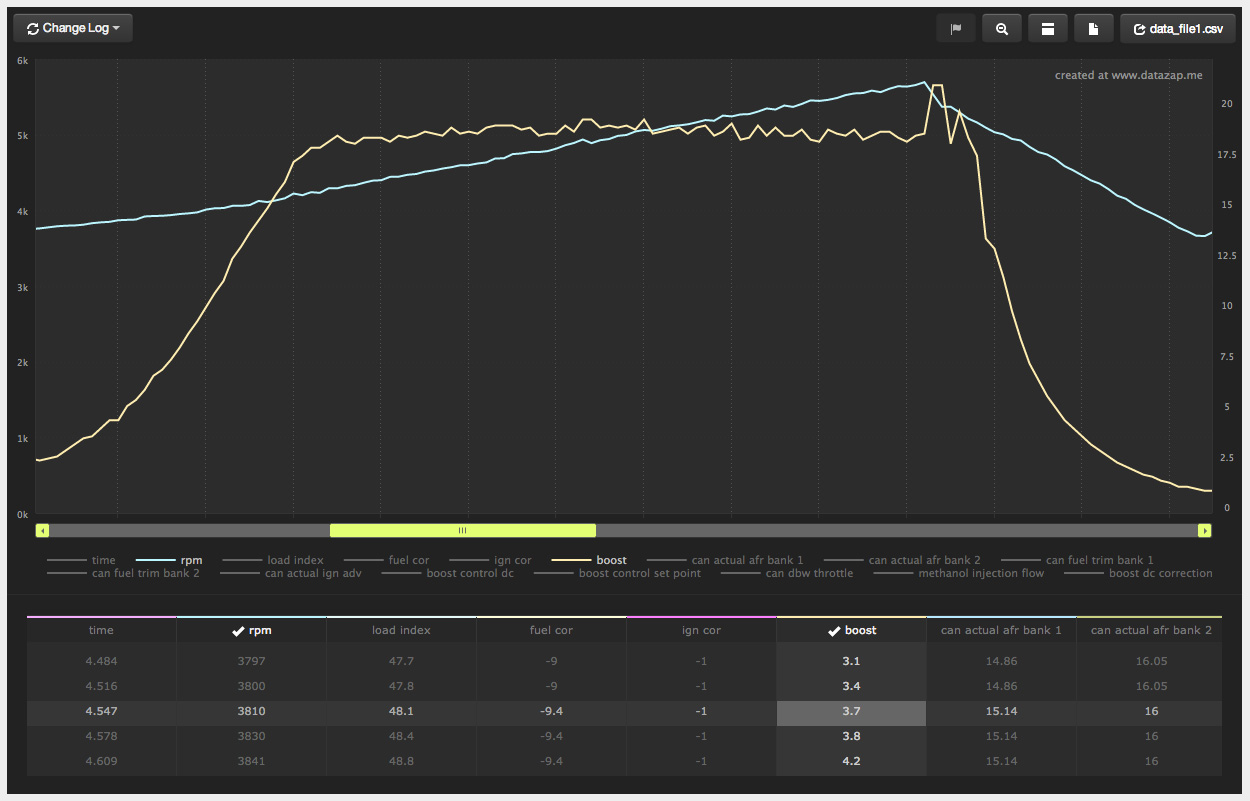 bigger spreadsheet area: 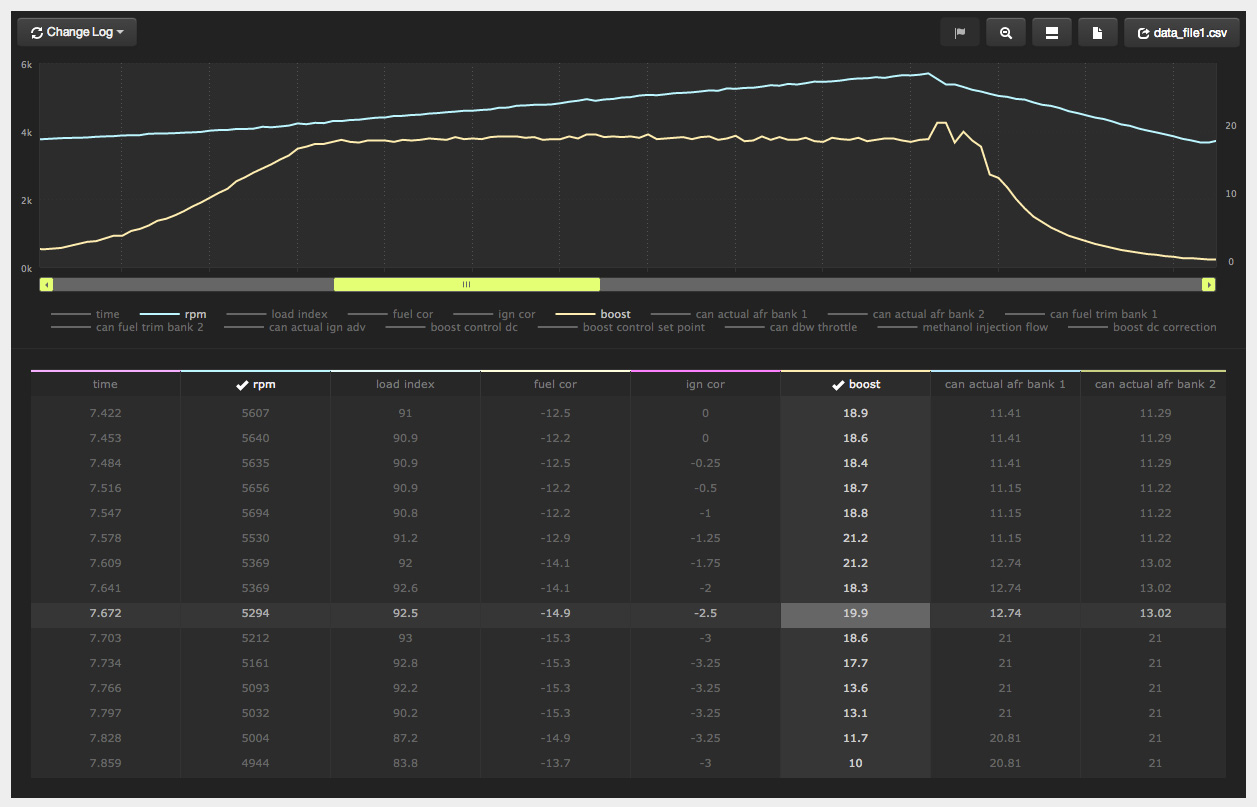 a couple markers in the graph, and their corresponding highlighted rows in the grid: 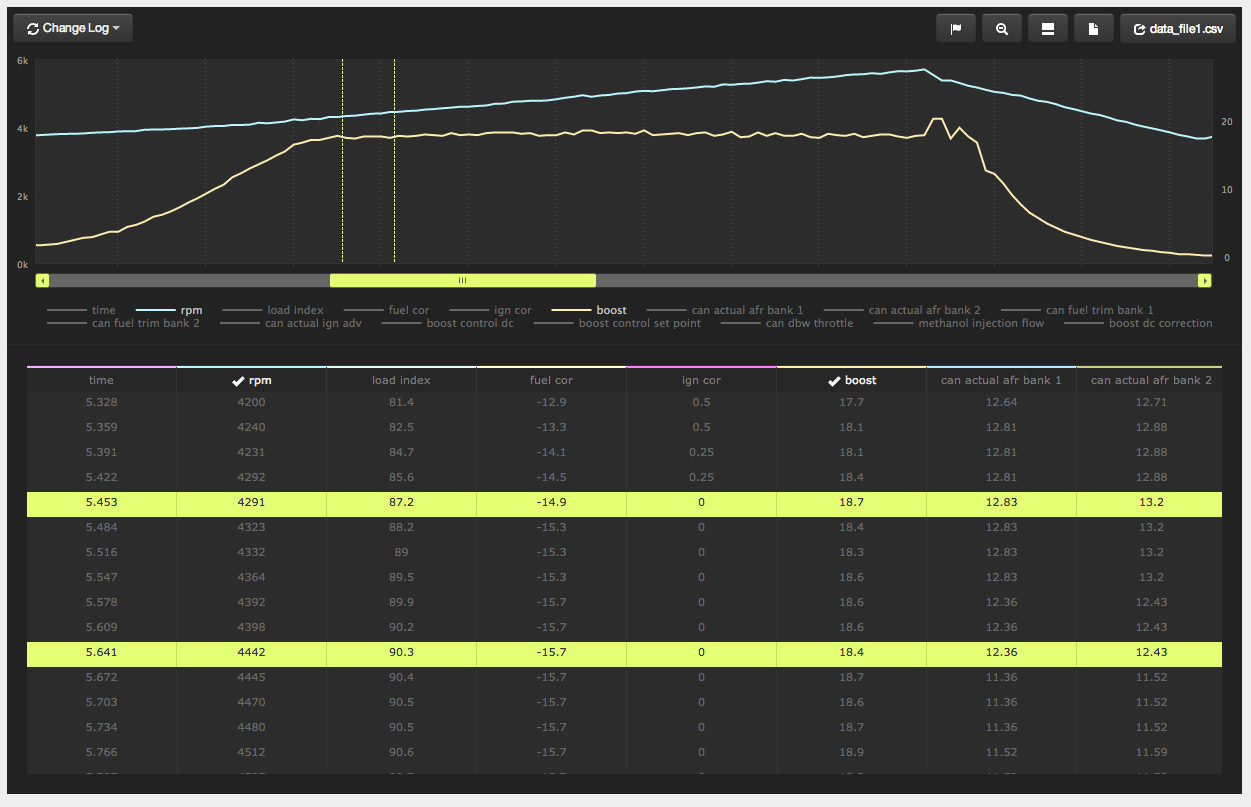
|

|

|
| The Following 12 Users Say Thank You to jpsimon For This Useful Post: |
|
04-09-2014, 01:40 AM
|
#2 |
|
Senior Member
Join Date: Apr 2013
Drives: 2013 FR-S
Location: Seattle
Posts: 806
Thanks: 202
Thanked 321 Times in 199 Posts
Mentioned: 18 Post(s)
Tagged: 1 Thread(s)
|
A request for this very useful utility: can you touch-enable zoom so I can fully use it on a phone?
|
|
|
|
|
04-09-2014, 10:02 AM
|
#3 |
|
Member
Join Date: Nov 2013
Drives: 2015 STi
Location: CT
Posts: 33
Thanks: 2
Thanked 94 Times in 14 Posts
Mentioned: 2 Post(s)
Tagged: 0 Thread(s)
|
You can pinch to zoom on the graph, that's always worked. It doesn't zoom "live" as you're pinching, but if you do it it will zoom. This works on iOS devices at least, i've never tried on Android. I have no finer control other than turning on touch-support or turning it off - but it's always been on
|
|
|
|
|
04-09-2014, 02:13 PM
|
#4 | |
|
Senior Member
Join Date: Apr 2013
Drives: 2013 FR-S
Location: Seattle
Posts: 806
Thanks: 202
Thanked 321 Times in 199 Posts
Mentioned: 18 Post(s)
Tagged: 1 Thread(s)
|
Quote:
I'm actually on Windows Phone, not sure how the page looks in Android. This may well be a WP-specific bug if it's working perfect on iOS. |
|
|
|
|
|
|
|
|
|
|
|
 Similar Threads
|
||||
| Thread | Thread Starter | Forum | Replies | Last Post |
| How to review more data variables in datazap with OFT | Boofneenee | Software Tuning | 3 | 04-01-2014 06:58 PM |
| Datazap Update! User controllable individual axis | jpsimon | Software Tuning | 4 | 02-17-2014 12:33 AM |
| Big Datazap update! Multi-log upload and more! | jpsimon | Software Tuning | 13 | 01-21-2014 10:56 AM |
| DataZap down? | nlowell | Software Tuning | 2 | 12-31-2013 06:16 PM |
| Interactive Scion FR-S Brochure | kthxbai | Scion FR-S / Toyota 86 GT86 General Forum | 6 | 12-27-2012 04:14 PM |


