Quote:
Originally Posted by reeves

Start with drawing "boxy" rectangular cars.. that really helped me, and it still helps when I'm drawing vehilces at extreme angles. I use a rectangular shape as a 'guide', then "curve" the lines (hood, trunk, etc) as I need to. It does take a while to get used to drawing this way if you've never done it, but it gets easier once you get used to the rectangular box as a 'guide'. HTH  |
Quote:
Originally Posted by WingsofWar
unlike paintings, when doing industrial art like cars and buildings you need guides to help with proportions and depth. Photoshop, illustrator, Painter ect have guides and grids you can turn on. If i'm doing freehand car art i have my ruler handy when im using the cintiq and i just put it up against the screen. Then you can lay down the lines and the rectangular box where your car will stand.
My most recent digital car art was this one on my 21HD at work using a ruler.
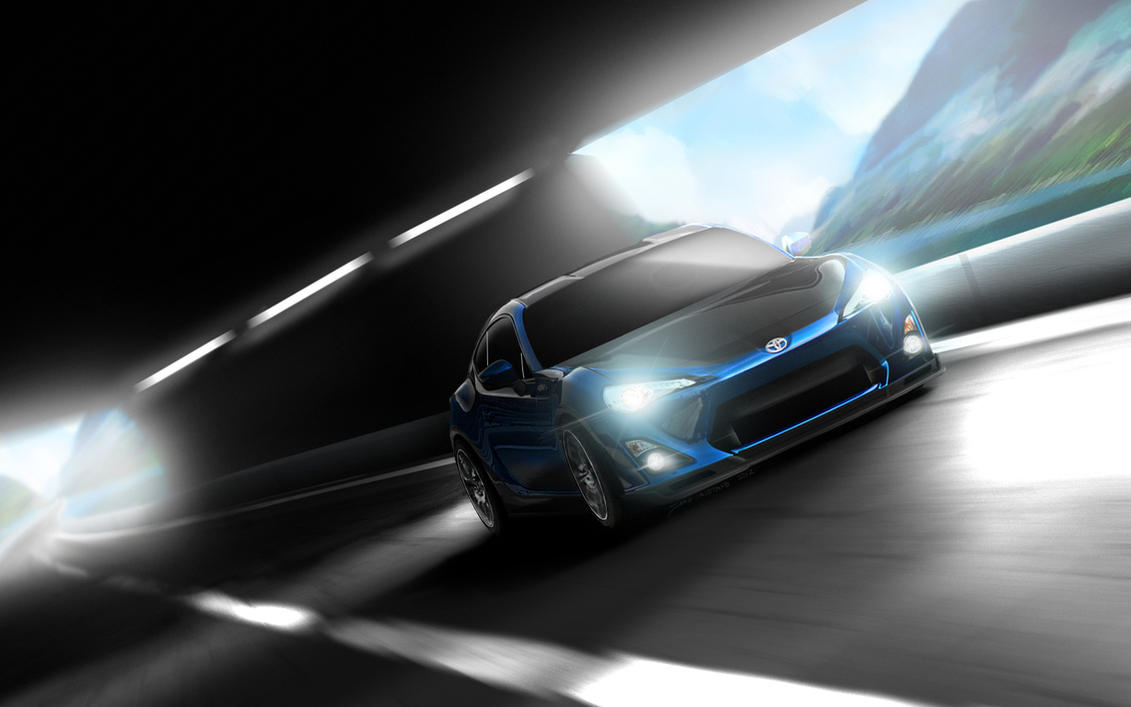 |
All I can say is wow. I wish I had started all of this about 10 years ago. I am setting aside about 5 hours a day to practice and learning right now, so hopefully I will continue to improve. You both gave some great tips. So These car pics arent 3d renderings or layovers or anything? Is it looked down on to do a layover vs doing a grid etc though? Wouldnt you have the same thing in less time and with more accuracy? I am just curious.
That last shot is AMAZING btw. Looks incredible.