Part 2: Programming the remote for door lock/ unlock
Programming your remote's functions is much simpler under Techstream than the manual method of remote programming, and involves only two clicks of the remote. You can use any generic replacement clicker key with the FCC ID: HYQ12BBY.
1. Under the Utility menu, select Wireless Code Registration.
Utilty.png
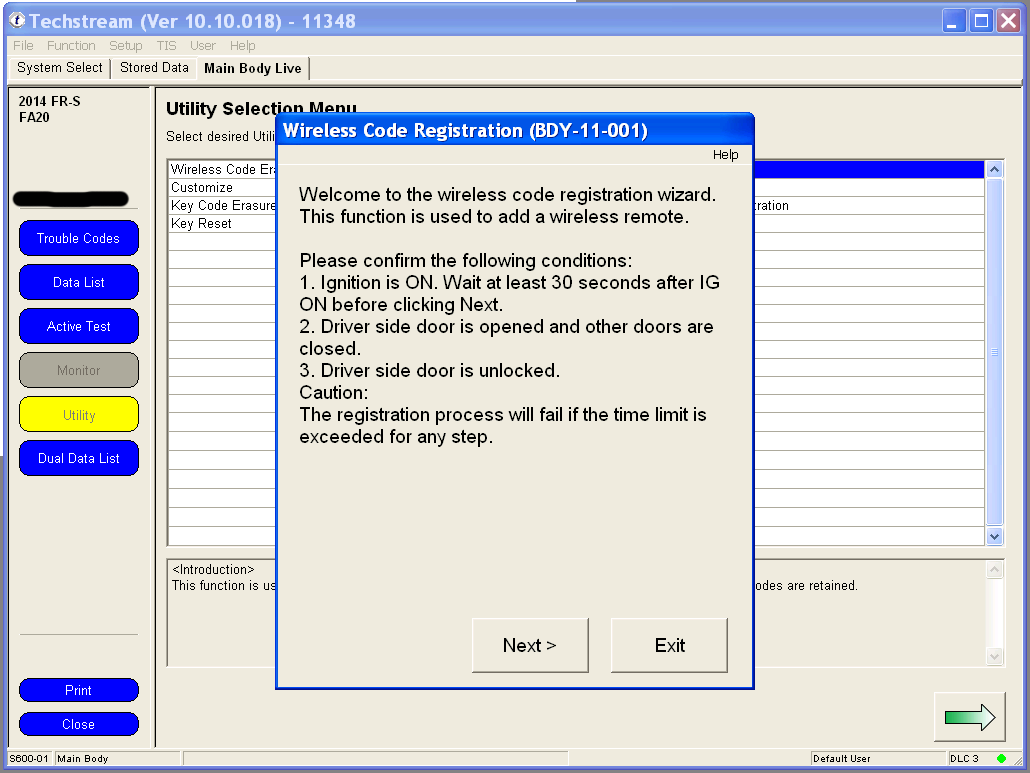
2. If your key is not already in the Ignition, switch to Ignition ON but don't start the car. Wait at least 30 seconds before clicking Next. Make sure the driver's door is the only one that's open and that it's unlocked.
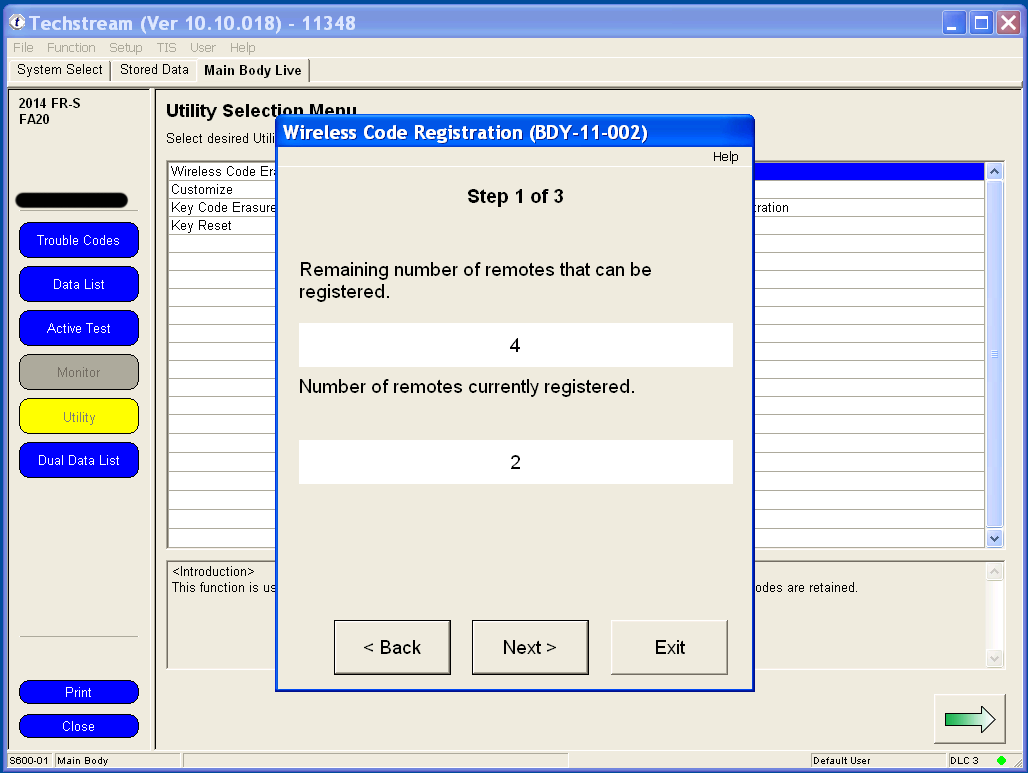
3. The body computer can remember 6 remotes. If this is the first time that you are adding an additional remote, you should have space for 4 more, like me. Click Next to continue.
4. You have 30 seconds to complete each step after clicking Next to continue.
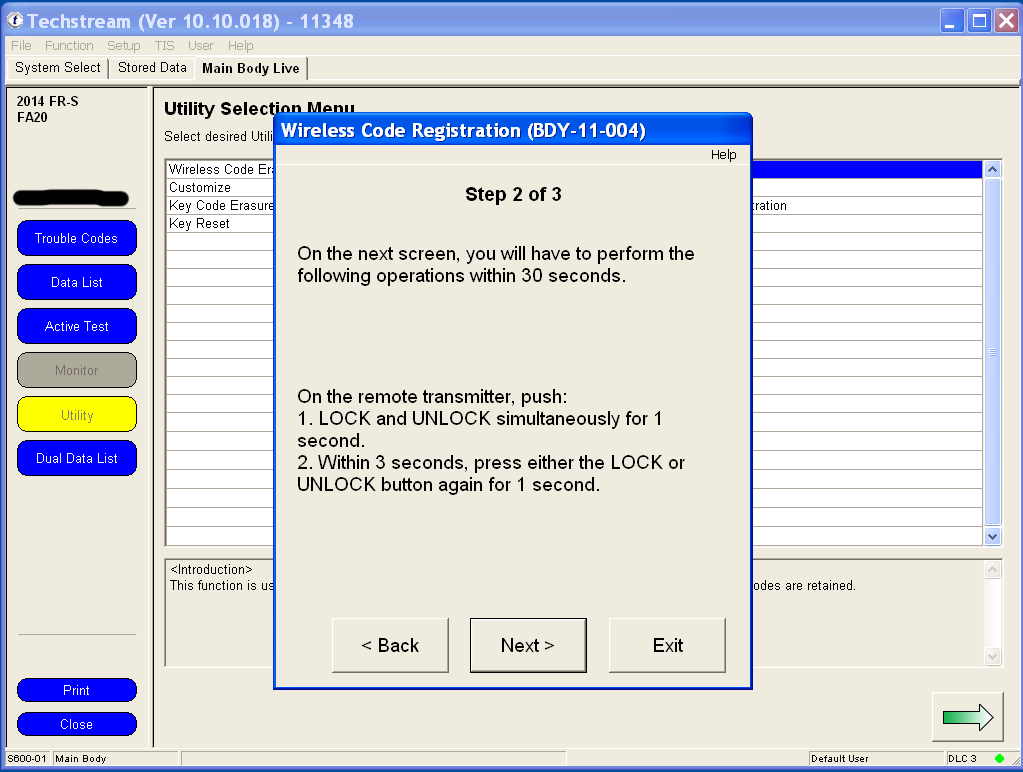
5. Using a new unprogrammed remote, hold both the LOCK and UNLOCK buttons for at least one second. Then press either the LOCK or UNLOCK button once for one second.
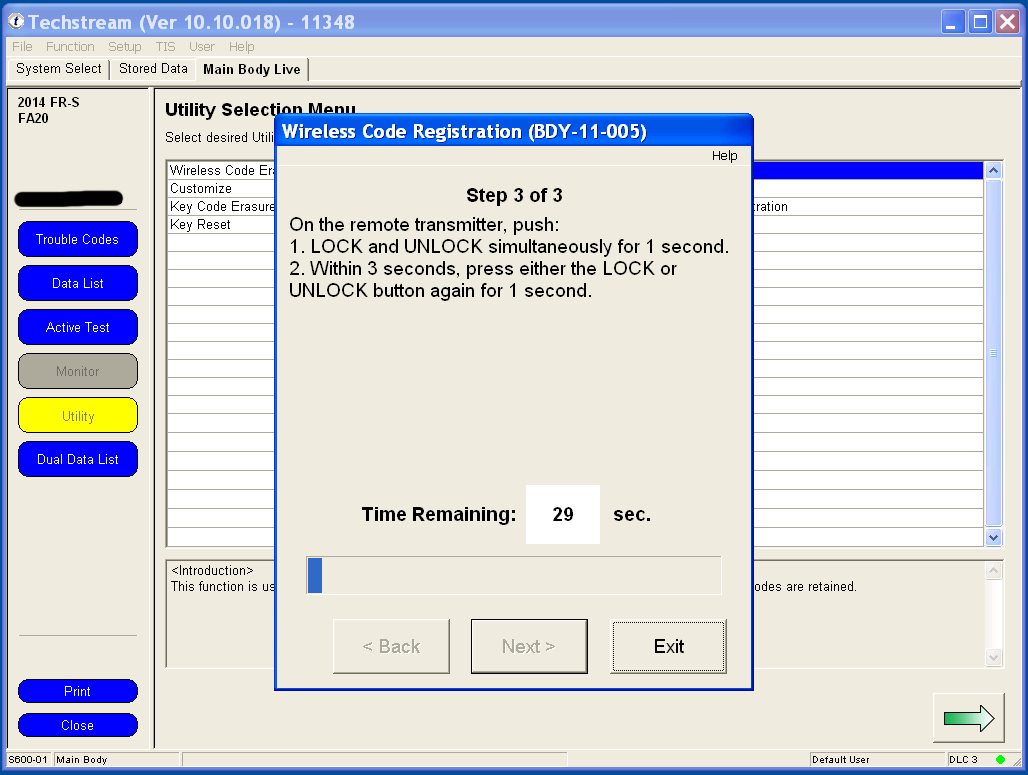
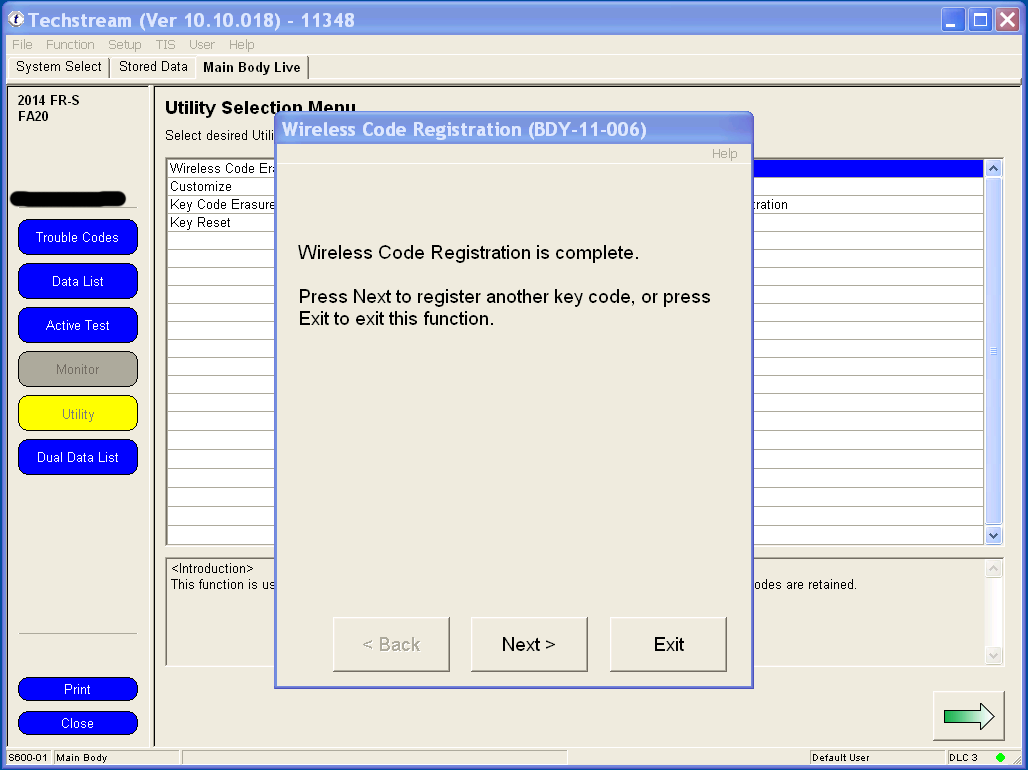
6. The body computer will communicate to Techstream that a remote has successfully been programmed. Press Next to program another remote, or click Exit to finish.