*Please excuse any typos or unclear explanations. I will revise this DIY as I gather more info*
Yes there is an alternative to the expensive OEM clicker key! This guide will help you put together a replacement clicker key for about $80, which is the lowest cost possible solution from all of my research. If making multiple keys, one could save a substantial amount.
(Alternatively you can just use parts of this guide to program an OEM clicker key, which costs about $165. At least you're saving on programming costs.) This guide assumes that you have at least ONE remaining programmed key. This is the only method to get a generic HYQ12BBY replacement key to work on the FR-S. Although our car shares a FCC ID with other Toyota's, it uses a Subaru immobilizer system, so it cannot use the immobilizer chip inside the generic replacement keys, which was designed for a Toyota immobilizer system.
Please proceed at your own risk. I am making this guide to try to help fellow community members. This process can damage your car's computers or your personal computer, cause personal injury, cause financial loss, and possibly waste a lot of time.
Parts required:
1. Computer running Windows XP 32-bit, or XP Mode under Windows 7
2. Techstream software
3. M-VCI cable
4. Generic non-chip key that's cut ($2)
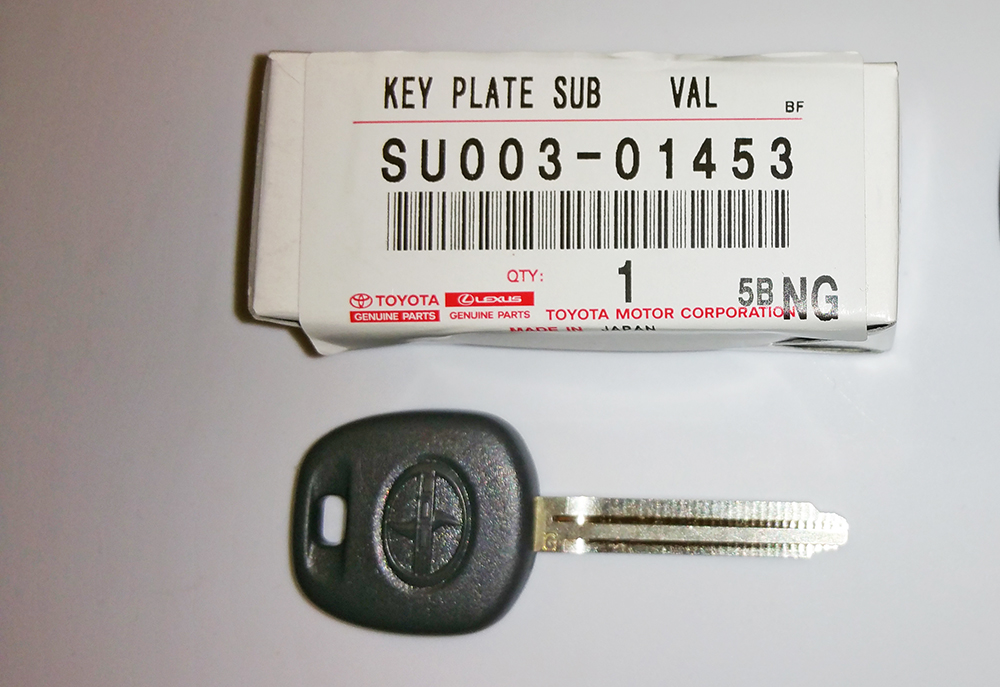
5. Genuine Scion valet key, Toyota PN: SU003-01453. The cheapest option is
Camelback Toyota at $63.67, with free shipping for orders over $150. I ordered multiple keys.
6. Generic clicker key with FCC ID: HYQ12BBY ($14)
7. Any existing programmed key
8. Sharp razor knife
9. Beverage of your choice.
Steps:
1. Set up XP mode under a PC running Windows 7, if you are not running in XP 32-bit natively. Install the MVCI drivers that came with your cable, and install Techstream software. I will post links as I find them, but a quick search will produce many in depth guides.
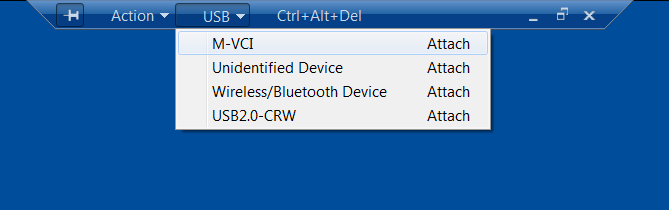
2. Plug the M-VCI cable into your car's OBD2 port and into the USB port on the computer. Attach the M-VCI cable by clicking on USB at the top of the screen and the appropriate device. The biggest problem I've noticed with devices not attaching on new computers running XP mode is the fact that there isn't a driver for an Intel USB 3.0 controller for Windows XP. You can solve this problem temporarily by going into the BIOS, and under USB settings there should be an option to set the XHCI Pre-Boot mode to Disabled. This forces the USB 3.0 controller to run under USB 2.0 mode.
3. Make sure that you switch your ignition to ON with your programmed key, but don't start the car.
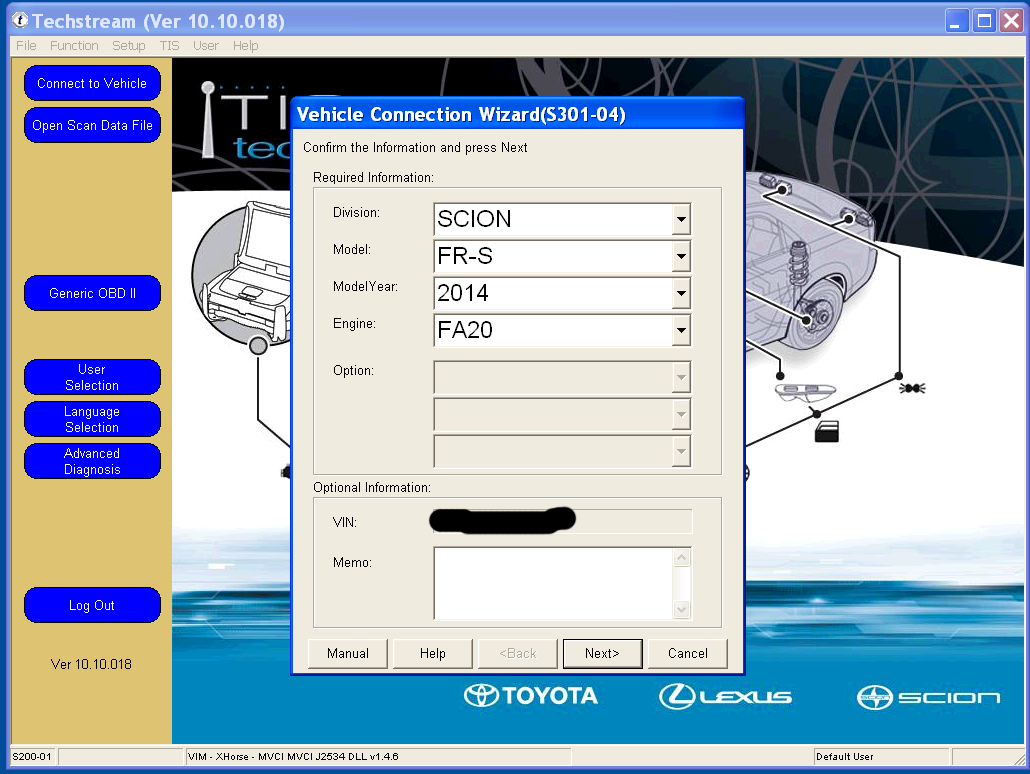
4. Once you start up Techstream, click on Connect to Vehicle. I have version 10, and the menus may slightly differ from other versions. If the connection is successful, you should see the vehicle detected. If the Division says Toyota and other fields are blank, try closing Techstream, cycling the key, and restarting Techstream. Click Next to proceed.
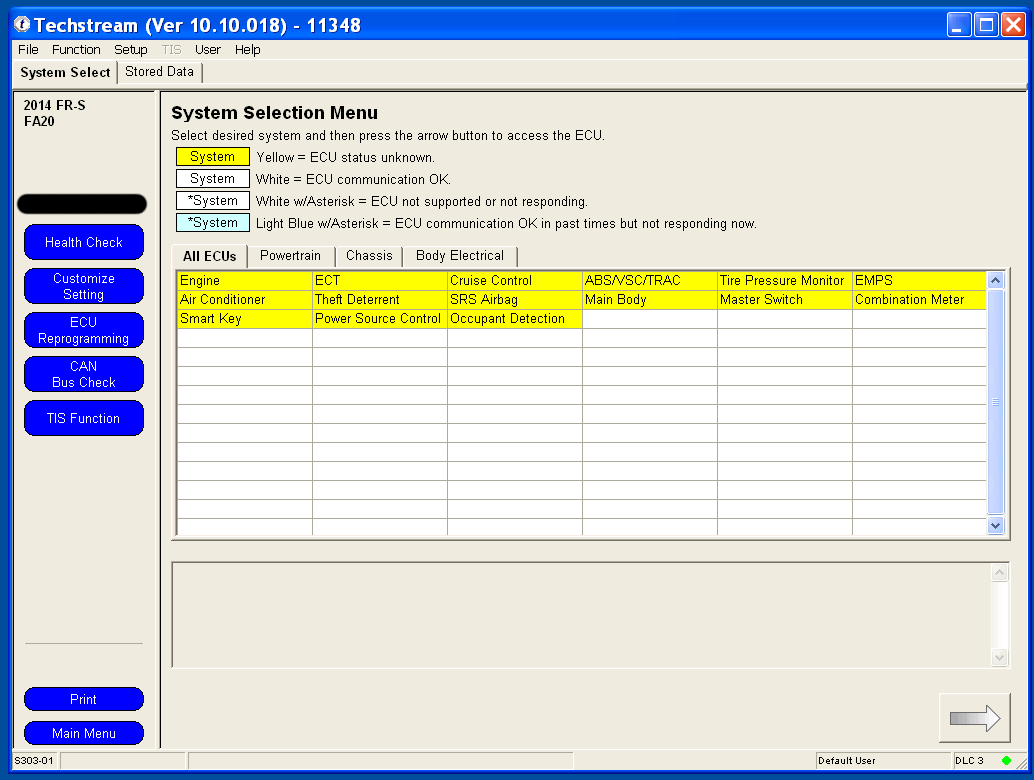
5. Under the System Select tab, double click on Main Body.
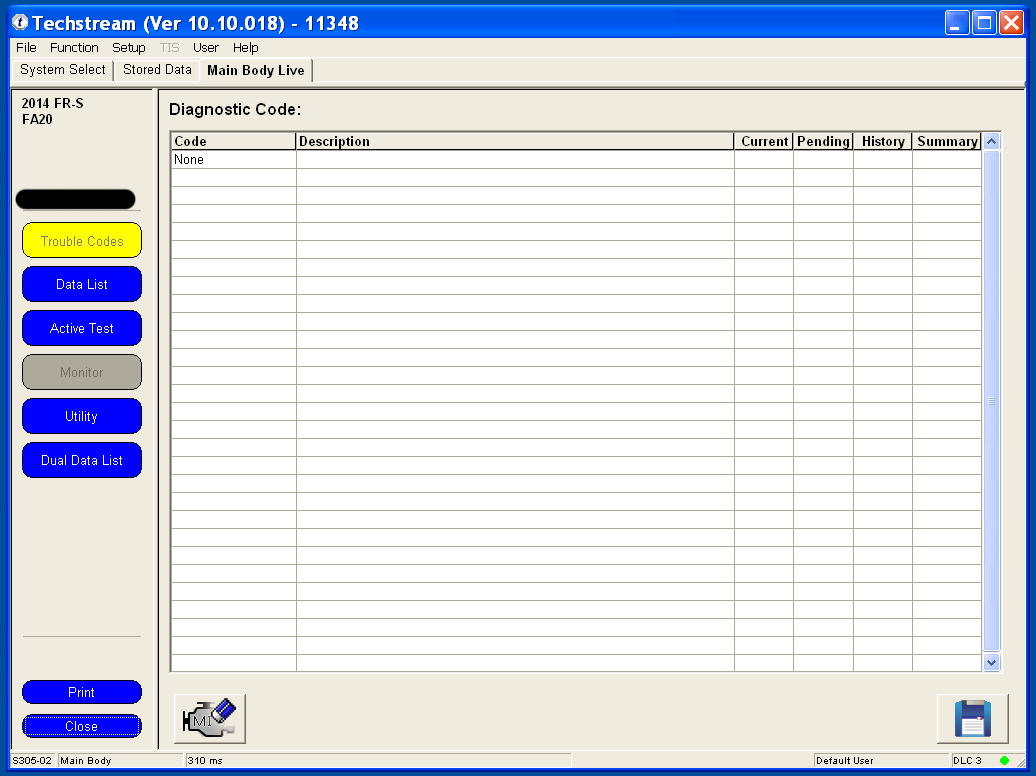
6. Under the Main Body tab, click on Utility.
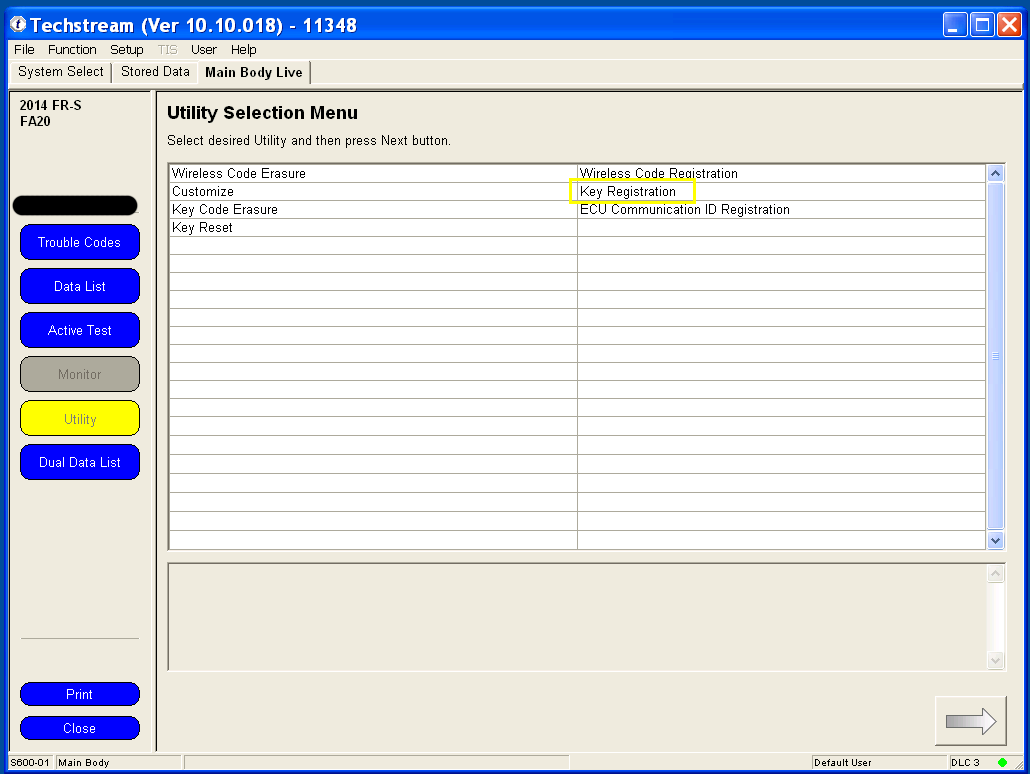
7. If you are afraid that someone who finds your lost keys can open your car, then you may want to use the Key Code Erasure utility first. I have never used this utility, but if you search on youtube there are plenty of tutorials. Under the Utility screen, double click on Key Registration to continue.
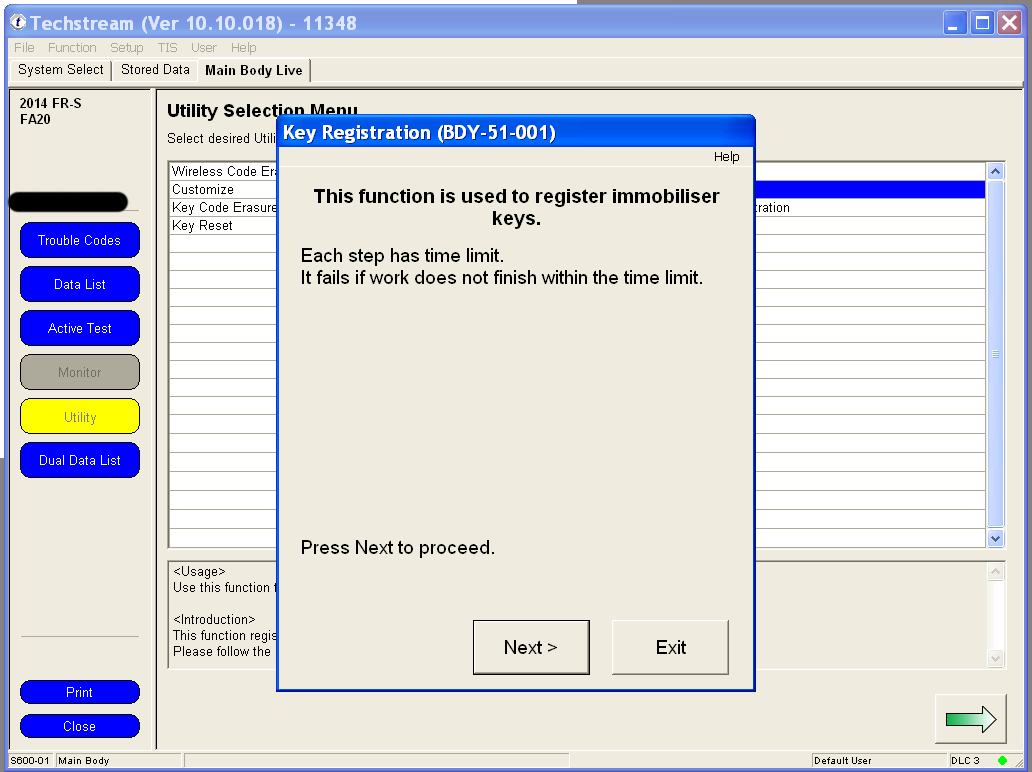
8. Have your generic non-chip cut key and your new uncut immobilizer key ready. Under key registration, click on Next to proceed.
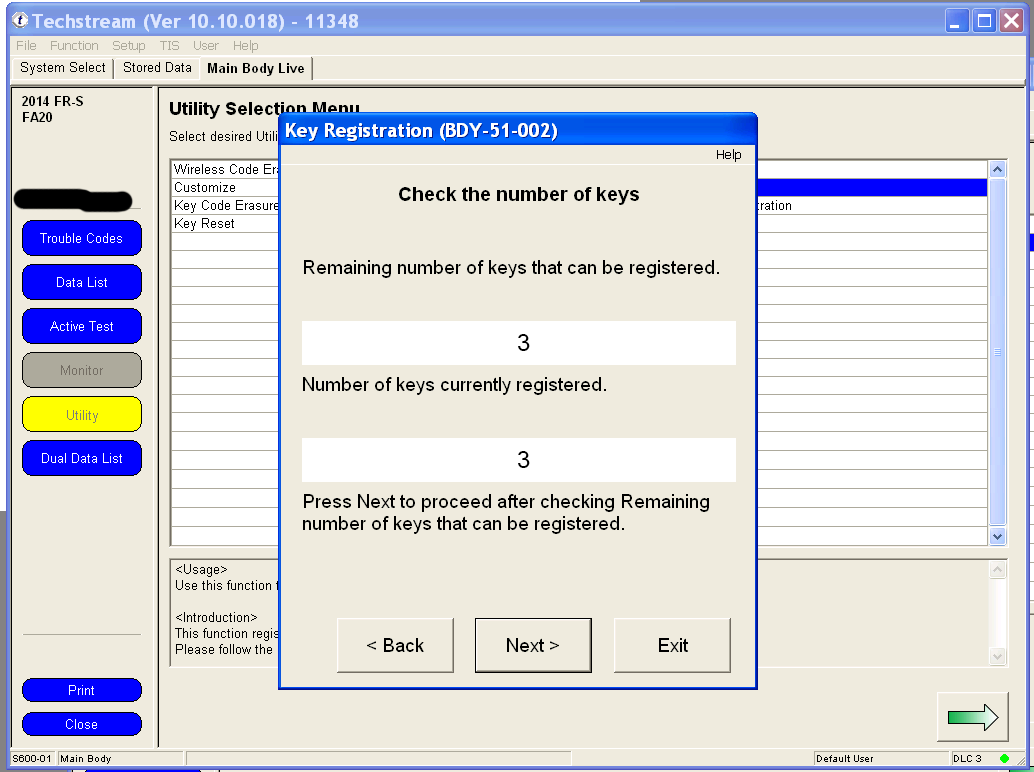
9. If this is your first time programming additional keys, you should see 3 keys registered and room for 3 more keys. Click next to continue. Your programmed key should still be in the ignition cylinder switched to ON. You will have 60 seconds to complete each step.
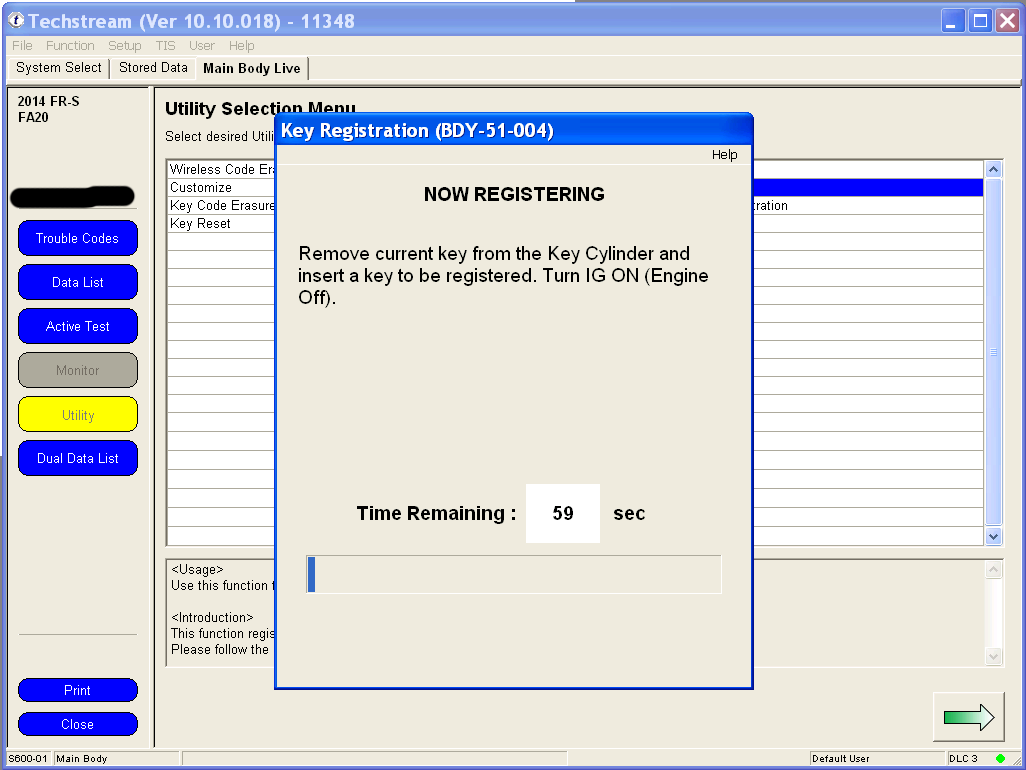
10. Now you have 60 seconds to remove your programmed key from the ignition switch, and insert the new key. Insert the cut non-chip key into the ignition switch while holding the immobilizer key against it, so that the ECU will think that you are inserting a cut immobilizer key. Turn the keys to ON but don't start the engine.
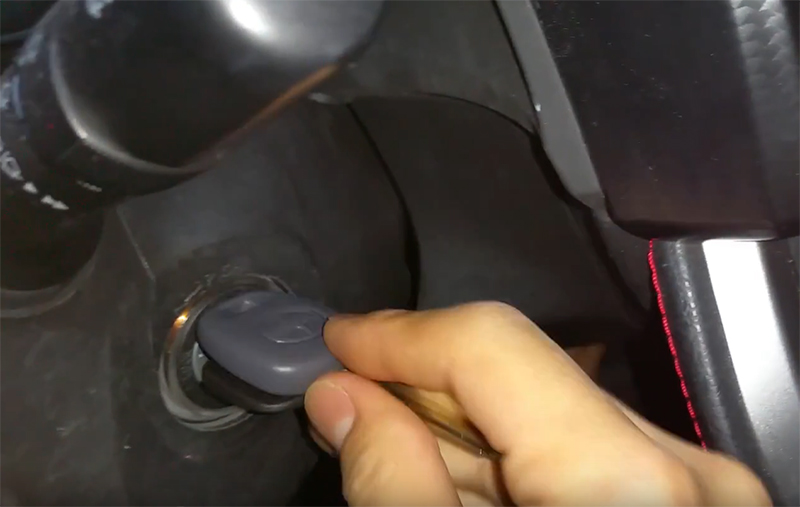
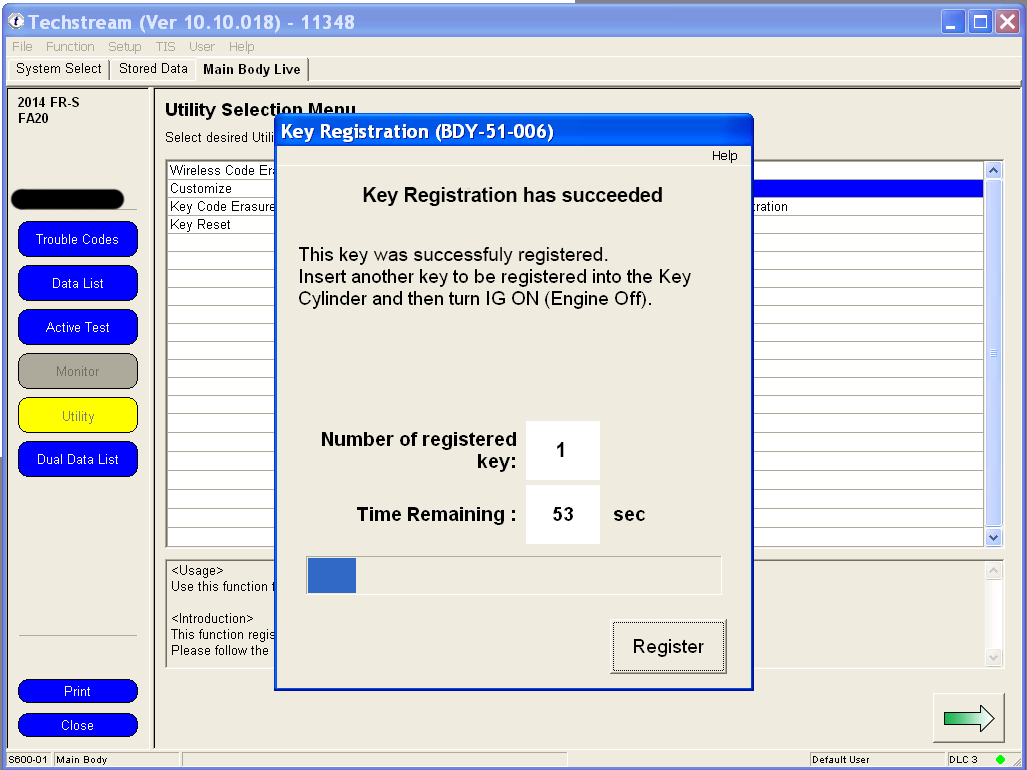
11. The programming should take 1-2 seconds. If successful, you should see the following message immediately. I forgot to take a screenshot, but from my memory I recreated the message that you should see. If you have further keys to program, take both keys out of the cylinder, and insert the generic non-chip cut key along with a new non-programmed immobilizer key held next to it back into the ignition cylinder. Turn to Ignition on but don't start the car. Programming should take 1-2 seconds. Again, you have 60 seconds to complete this process. If you have no further keys to program, just let the timer expire.
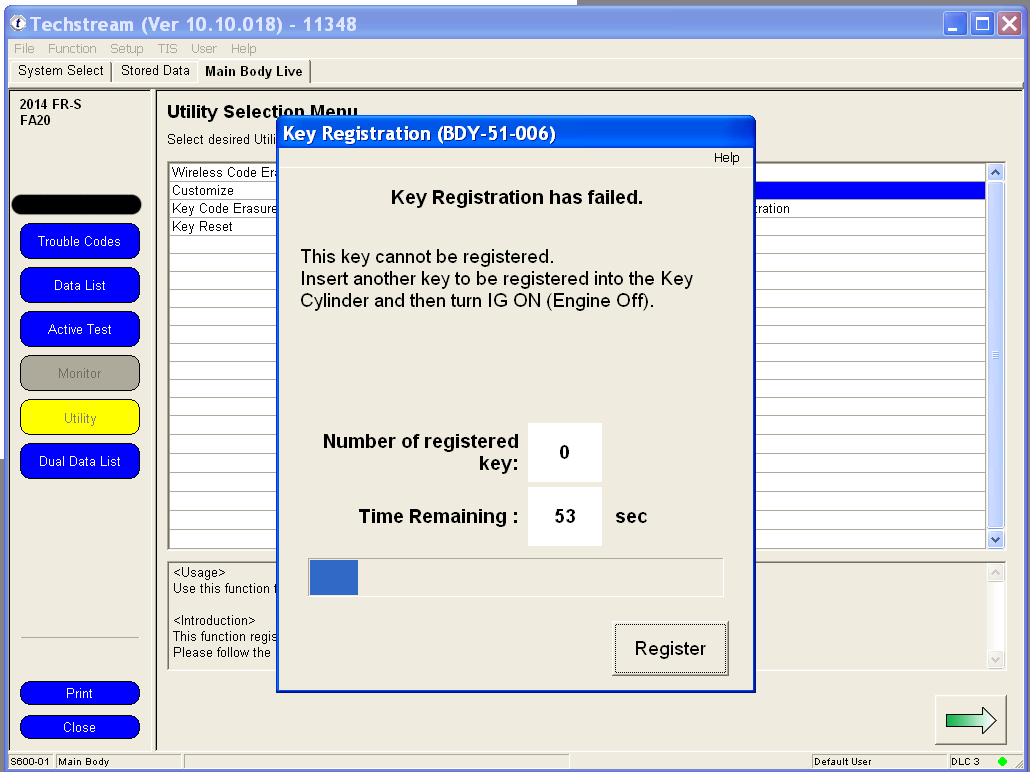
If you accidentally insert a programmed key back in, you should see the following error message, with another 60 seconds to insert the correct key.
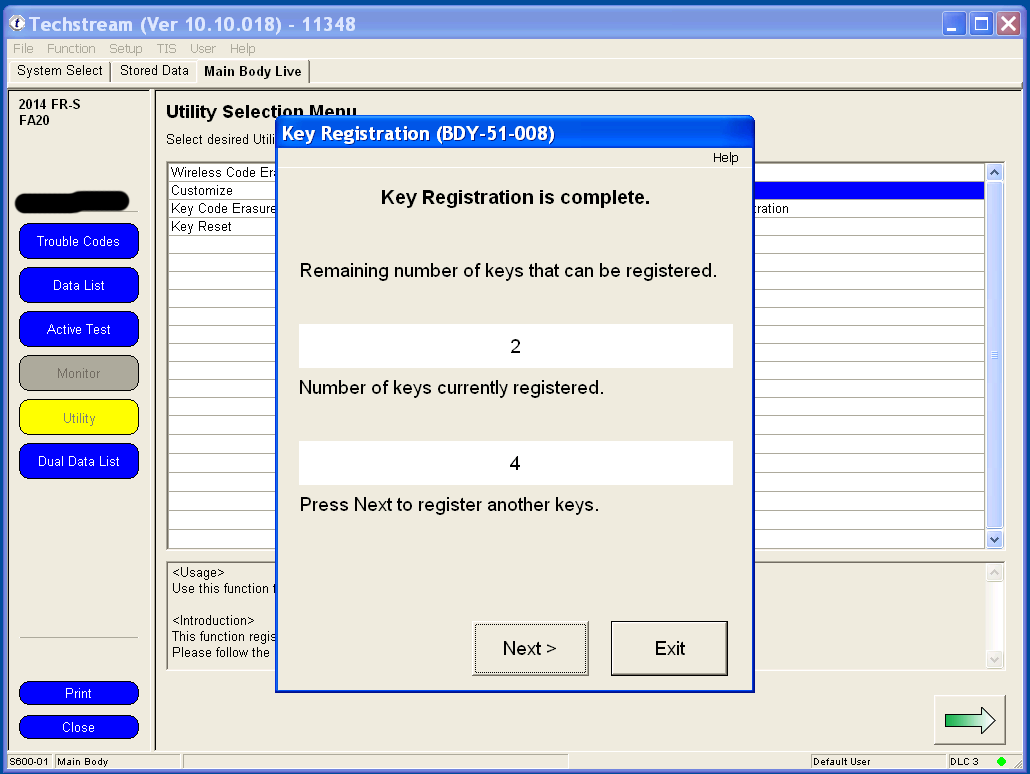
12. Once complete, you should see the following message. I only programmed one key in additional to the 3 that came with the car, so I have 2 spaces left.
13. Start the car by inserting the generic non-chip key, along with the programmed immobilizer chip held next to it. The car should start and idle.