Hi guys,
As promised, here is a tutorial on how to adjust any of our gasoline OTS map (91 or 93) to work well with the Crawford Power Block. Of course, additional dataloging/testing is always a good idea. But the changes outlined below are easy to implement and will work well once you add BPBs.
Note: This tutorial is only intended for our gasoline OTS maps. I never had too much success with running the BPB on E85.
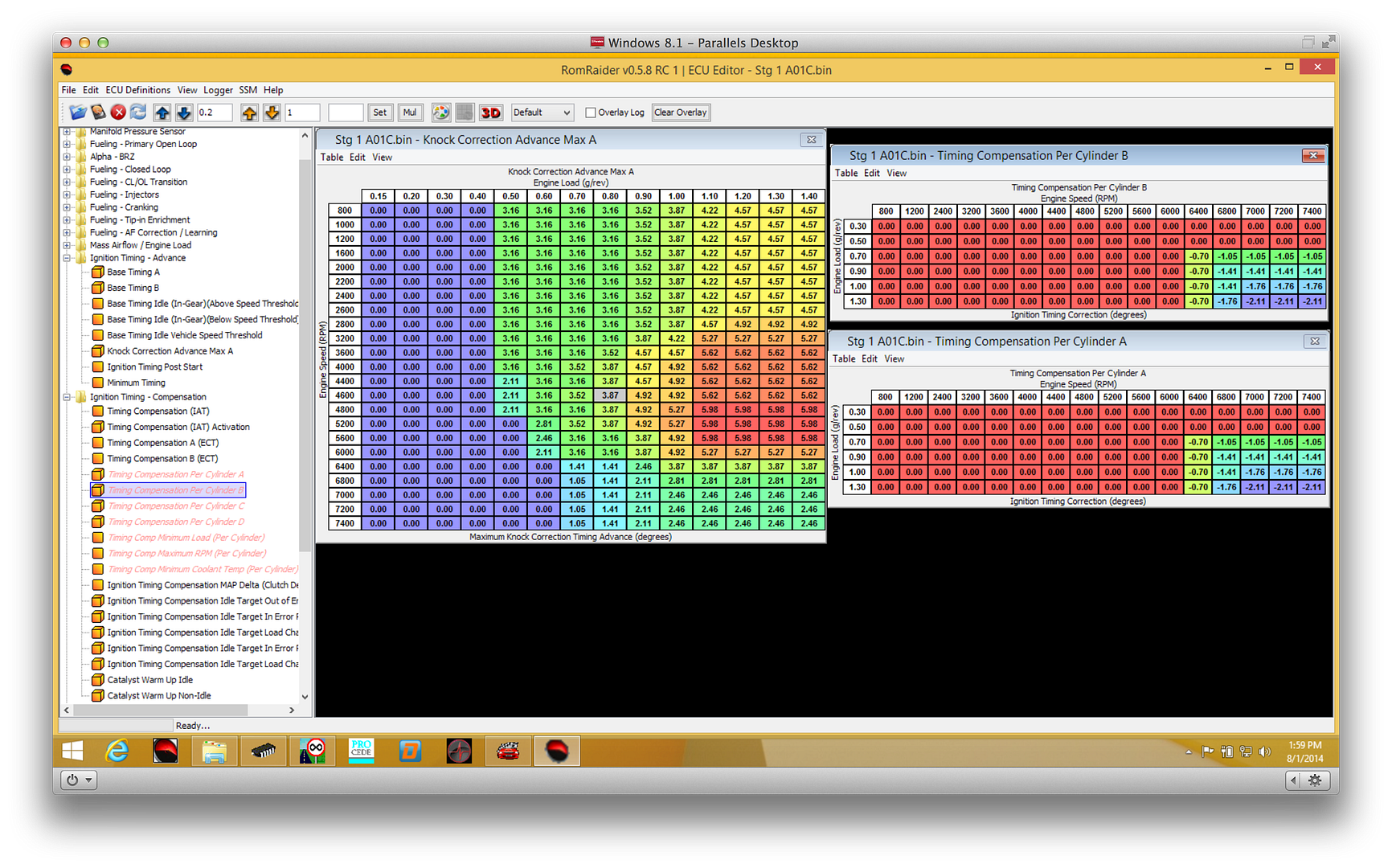
Using Rom Raider, open up your current OTS map (Stage 1, Stage 2, Stage 2 UEL or Stage 2 EL) view the following tables:
Knock Correction Max Advance A
Timing Compensation Per Cylinder A
Timing Compensation Per Cylinder A
It will look like this:
Step One:
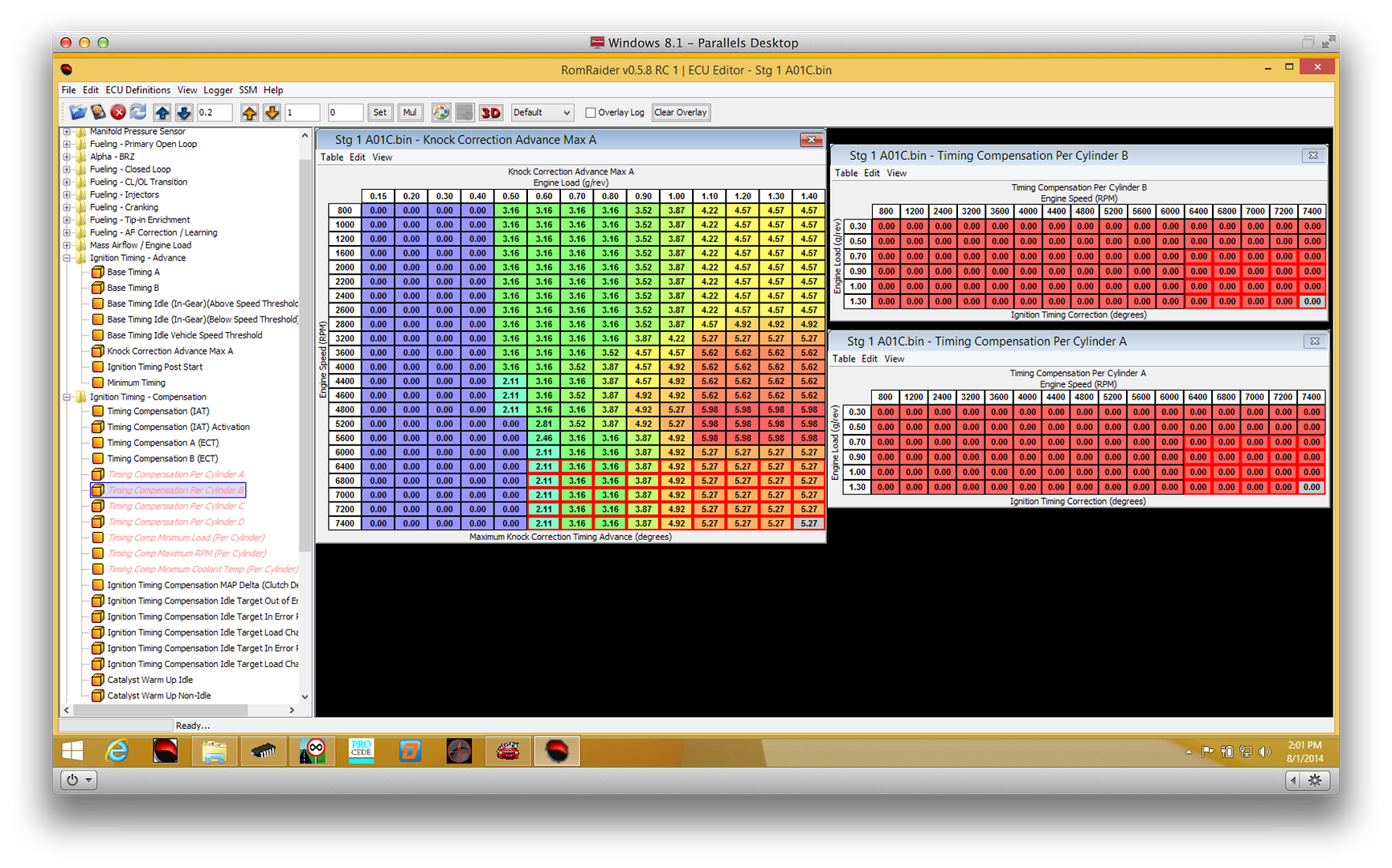
Set both Timing Compensation Per Cylinder tables to 0.
Step Two:
In the Knock Correction Max Advance A table, copy the entire 6000RPM row and past it in the next 5 rows (6400, 6800, 7000, 7200 and 7400).
Once you are done, the tables should now look like this:
Step 3: Close the windows. Save the file under another name (i.e., Stage 1 BPB A01C).
Step 4: Close and re-open the file.
Step 5: View the three tables you changed and confirm that they changes are there and exactly as shown above.
[Steps 3-5 are just for the sake of safety]
Step 6: Load up the revised BPB map into your OFT and flash to your car. As always, let the engine idle for a minute after first start-up before driving off. Go ahead and run the car. You will feel some good power gains above 6200rpm. Along with the good power gains that the BPB provided between 5200-6200rpm.
Step 7: Take some datalogs of 3rd gear WOT runs (2000-7500rpm) and confirm that there is little to no knock correction. Especially above 6000rpm where you made the adjustments.
That's it!
Cheers,
Shiv